Video work analysis
Turn Production Video Into Actionable Work Analysis
Levio Studio is video work analysis software for manufacturing. Record the process once, break the cycle into work elements, classify the activity, and carry the measurement through to balancing and standard work.
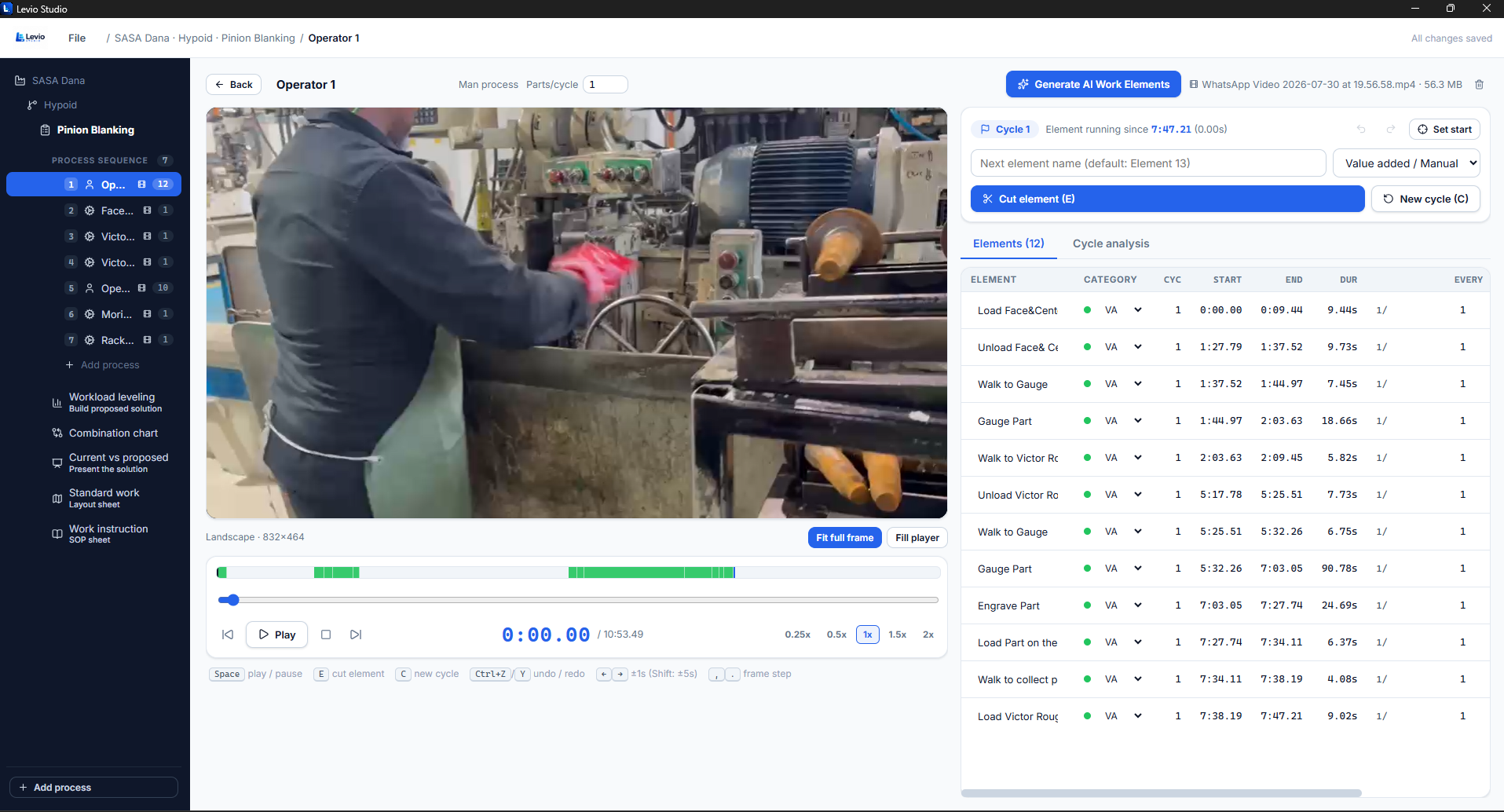
The workflow, end to end
The analysis follows the same path every time, which is what makes results comparable between engineers, shifts and plants.
- Upload the process recording to the study
- Identify work element boundaries on the timeline
- Classify each activity: value-add, walk, wait, machine, load and unload
- Capture the duration of every element
- Analyze repeated cycles and remove the abnormal ones
- Use the result for line balancing and standard work
Why video beats the clipboard
A stopwatch reading cannot be reviewed. Video can. When a standard is challenged, the engineer replays the exact seconds the number came from, which removes most of the argument and speeds up sign-off with supervisors and operators.
Seeing waste, not just time
Because every second belongs to a named, classified element, the split between genuine work, walking and waiting becomes obvious. That is usually where the first improvement comes from — long before anyone considers new equipment.
One recording, many outputs
The same analysis produces cycle time data, the Yamazumi-style balance chart, the standard work combination view and the layout with operator path, so the effort of measuring is spent once.
Frequently asked
Buy your Levio Studio licence
Secure online payment in rand. Your product key and Windows installer are available immediately after checkout.